Top 20 Tools for YouTube Automation in 2026: Boost Your Channel's Growth
Discover the top 20 tools for YouTube automation in 2026 to boost your channel's growth and efficiency. Get expert insights and actionable strategies.

Over 2 billion users log into YouTube each month, making it the second most visited website after Google. In this bustling ecosystem, standing out isn't just a matter of creativity; it's about leveraging the right tools to automate processes and optimize growth. As we move into 2026, the landscape of YouTube automation is evolving rapidly, with new tools emerging that promise to streamline content creation, enhance engagement, and improve analytics. This post outlines the top 20 tools for YouTube automation in 2026 that can significantly boost your channel's growth.
The challenge for many creators is managing the myriad tasks involved in running a successful YouTube channel: from video editing and SEO optimization to audience engagement and analytics tracking. Without the right tools, these tasks can become overwhelming, leading to burnout or missed opportunities. This guide provides a comprehensive analysis of the top tools available, helping you to choose the best fit for your needs.
In this article, you'll learn about specific automation tools designed for various aspects of YouTube management, including content creation, video SEO, audience engagement, and performance analytics. By the end, you'll have a clear roadmap for enhancing your YouTube strategy with technology.
Content Creation Tools
Creating high-quality content consistently is at the heart of any successful YouTube channel. Here are some top tools that can help streamline the content creation process:
1. Canva
Canva is a graphic design tool that simplifies creating visually appealing thumbnails, channel art, and social media posts. With its user-friendly interface and a vast library of templates, creators can produce professional-looking graphics in minutes. As of 2026, Canva offers a Pro plan starting at $12.99/month, which includes advanced features such as brand kits and additional storage.
2. InVideo
InVideo is an online video editing platform that caters specifically to creators who want to produce engaging videos quickly. With pre-made templates and a library of stock footage, users can create polished videos without extensive editing skills. InVideo's pricing starts at $15/month, which includes access to its extensive library and features.
"InVideo has made video editing accessible for everyone, which is crucial for maintaining a consistent upload schedule." - Content Creator
Video SEO Tools
Optimizing your videos for search is essential for increasing visibility and attracting new subscribers. Here are some top video SEO tools to consider:
3. TubeBuddy
TubeBuddy is an essential browser extension for YouTube creators that helps optimize video titles, tags, and descriptions. It also provides keyword research tools and A/B testing for thumbnails, enabling creators to improve their SEO efforts effectively. TubeBuddy's pricing starts at $9/month, offering various tiers based on the features needed.
4. VidIQ
VidIQ is another powerful tool for video optimization, providing in-depth analytics and insights into video performance. It offers keyword suggestions and SEO score evaluations to help creators improve their reach. VidIQ's Pro plan starts at $7.50/month, making it a cost-effective solution for serious creators.
"Using VidIQ has helped my videos rank higher and reach a wider audience, which is vital for growth." - YouTube Marketer
Audience Engagement Tools
Engaging with your audience is crucial for building a loyal community. Here are two tools that can enhance audience interaction:
5. Hootsuite
Hootsuite is a social media management platform that allows users to schedule posts across various platforms, including YouTube. It offers analytics to track engagement and performance. Hootsuite starts at $19/month, providing a comprehensive solution for managing multiple social accounts.
6. StreamYard
StreamYard is a live streaming tool that enables creators to broadcast directly to YouTube and engage with their audience in real-time. It offers features like on-screen comments and branding options. StreamYard's pricing starts at $20/month, making it a popular choice for live content creators.
"Live streaming with StreamYard has transformed how I connect with my audience during events." - Live Streamer
Analytics and Performance Tools
Tracking performance analytics is critical for understanding what works and what doesn't. Here are two analytics tools that can provide valuable insights:
7. Social Blade
Social Blade is a powerful analytics tool that allows users to track YouTube channel statistics, including subscriber growth and video views. This data is crucial for creators looking to analyze trends and improve content strategy. Social Blade is free for basic usage, with premium features available through sponsorships.
8. Google Analytics
Integrating Google Analytics with your YouTube channel provides deeper insights into viewer behavior and traffic sources. It can help creators understand which videos drive the most traffic and where to focus their efforts. Google Analytics is free, making it an invaluable tool for all creators.
"Understanding analytics is crucial; it provides the data needed to refine my content strategy effectively." - Data-Driven Creator
Collaboration Tools
Collaboration can enhance the quality of content and reach. Here are tools that facilitate teamwork:
9. Trello
Trello is a project management tool that helps creators organize video ideas, scripts, and deadlines collaboratively. Its visual board layout makes it easy to track progress. Trello offers a free tier, with business plans starting at $12.50/month.
10. Slack
Slack is a communication platform that enables real-time collaboration among teams. It's beneficial for discussing video concepts and receiving immediate feedback. Slack offers a free tier, with paid plans starting at $6.67/month that include additional features.
"Using Trello and Slack together has streamlined my team’s workflow and kept us organized." - Video Production Manager
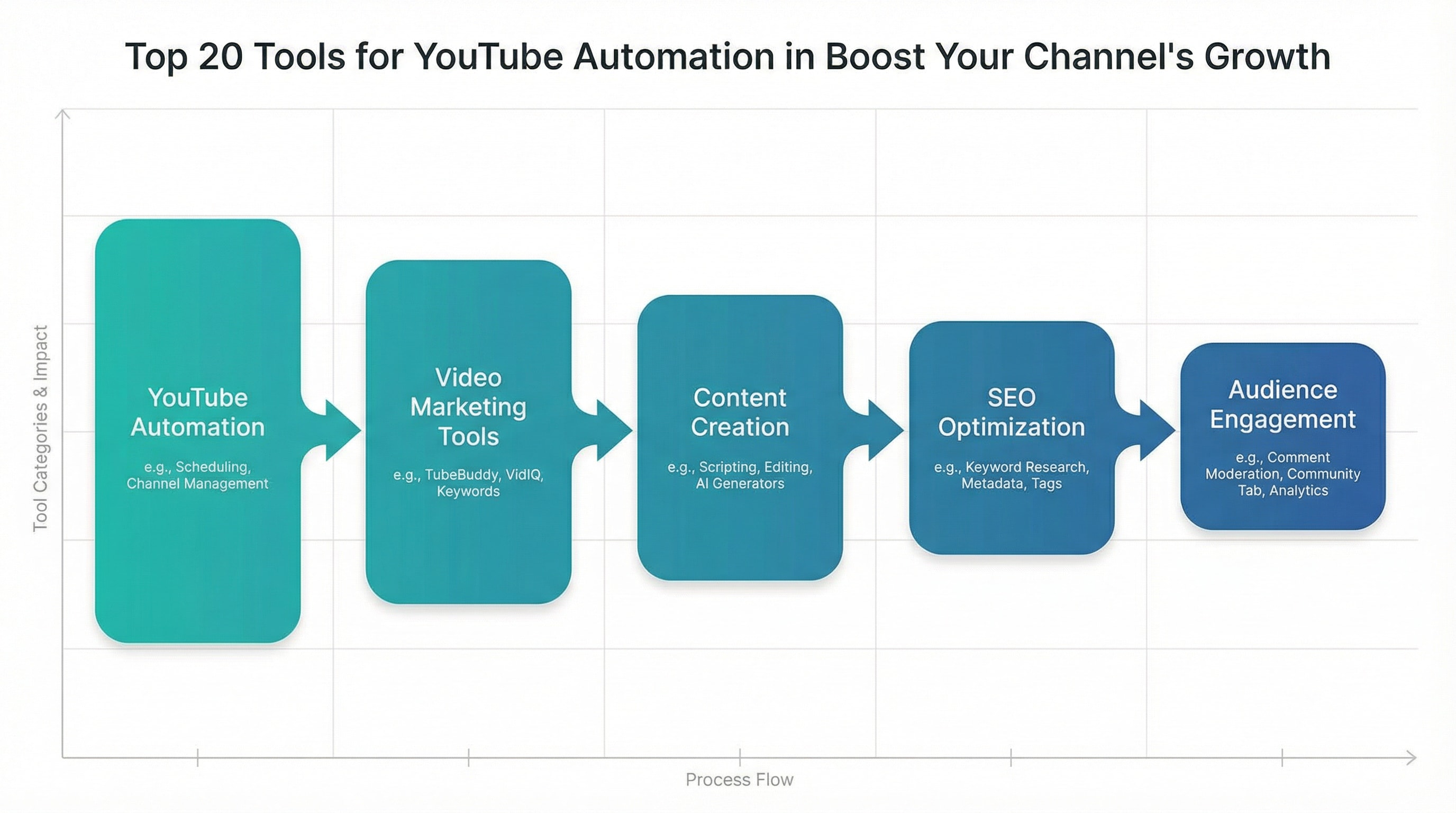
Myth-Busting: Common Misconceptions About YouTube Automation
There are several myths surrounding YouTube automation that can mislead creators. Here are some common misconceptions:
11. Automation Means Less Engagement
One common myth is that automation leads to less audience engagement. However, the right tools can actually enhance engagement by allowing creators to focus more on content quality rather than administrative tasks. Tools like Hootsuite and StreamYard help maintain interaction while automating routine tasks.
12. YouTube Automation is Only for Large Channels
Another misconception is that only large channels can benefit from automation. In reality, even small creators can leverage automation tools to optimize their processes and grow their audience. Tools like TubeBuddy and VidIQ provide affordable solutions for channels of any size.
"Effective automation doesn't replace engagement; it enhances it, allowing for more meaningful interactions with viewers." - YouTube Strategist
Checklist for Choosing YouTube Automation Tools
Selecting the right automation tools can be daunting. Here’s a checklist to guide your decision-making process:
- Identify Your Needs: Determine which aspects of your YouTube strategy need automation.
- Evaluate Budget: Consider the pricing of different tools and ensure they fit within your budget.
- Read Reviews: Look for user feedback on platforms like G2 or Capterra to gauge effectiveness.
- Test Features: Take advantage of free trials to test tools before committing.
- Consider Integration: Ensure the tools integrate well with your existing workflow.
"Following a structured approach to selecting tools will save you time and money in the long run." - Automation Expert
Case Study: A Successful YouTube Automation Implementation
To illustrate the effectiveness of automation, let’s examine a case study involving a mid-sized YouTube channel, Tech Insights.
Background
Tech Insights, a channel focused on technology reviews, struggled with maintaining a consistent upload schedule while engaging with their audience effectively. They decided to implement a suite of automation tools to streamline their processes.
Implementation
The team adopted TubeBuddy for SEO optimization, Canva for thumbnail creation, and Hootsuite for scheduling posts. They also used Google Analytics for tracking performance metrics.
Results
Within six months, Tech Insights saw a 40% increase in subscriber growth and a 30% increase in video engagement. The automation tools allowed them to focus more on content quality and less on administrative tasks.
"Automation has transformed our workflow, making content creation enjoyable again." - Tech Insights Team
Emerging Trends in YouTube Automation for 2026
As technology continues to evolve, so do the tools available for YouTube automation. Here are some emerging trends to watch in 2026:
1. AI-Powered Content Creation
Artificial intelligence is set to revolutionize content creation, with tools that can generate video scripts and even edit footage based on user preferences. This could drastically reduce the time spent on pre-production.
2. Enhanced Data Analytics
Future analytics tools will provide deeper insights based on machine learning, allowing creators to predict trends and adjust strategies proactively. Expect tools that can analyze viewer behavior in real-time to become more common.
3. Advanced Audience Segmentation
Automation tools will increasingly allow for better segmentation of audiences based on viewing habits, preferences, and demographics, enabling more personalized content delivery.
"Staying ahead of trends is crucial; the tools that adapt will define the future of YouTube automation." - Industry Analyst
Next Steps for YouTube Automation
To implement effective automation for your YouTube channel, start by assessing your current processes and identifying areas for improvement. Here’s what you can do next:
- Research Tools: Review the tools mentioned in this article and evaluate which ones suit your needs.
- Start Small: Implement one or two automation tools at a time to avoid overwhelm.
- Monitor Performance: Use analytics tools to track the impact of automation on your channel's performance.
- Iterate and Adapt: Be open to adjusting your strategy based on feedback and performance data.
Automation is not just about saving time; it's about enhancing the quality of your content and engagement with your audience. As 2026 unfolds, leveraging the right tools will be essential for any serious YouTube creator looking to boost their channel's growth.

Maya Chen
Maya Chen is a Staff Writer at SaasAudited with a keen focus on SaaS product analysis and technology trends. With a background in software development and data analytics, she brings a unique perspective to her reviews, drawing on her experience as a former tech consultant and analyst.